Navigating the Supplier Dashboard
Last updated: January 19, 2026
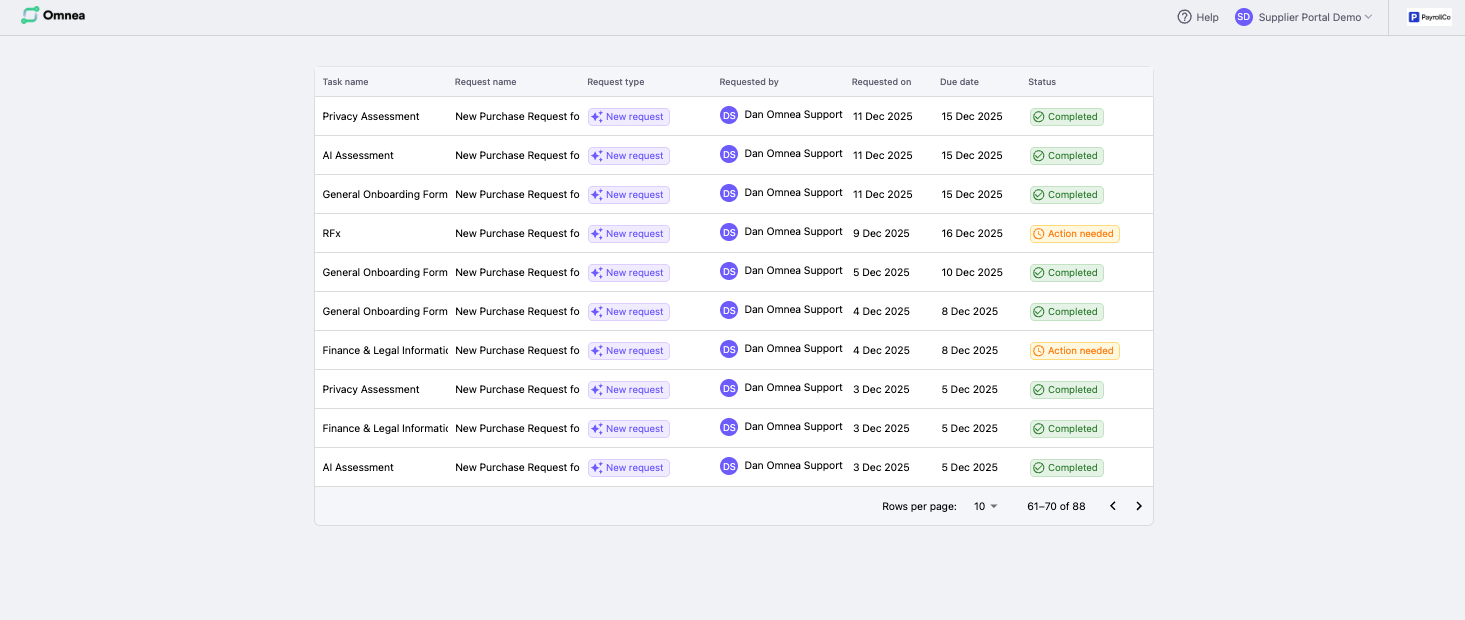
This article explains how the supplier dashboard in Omnea works. You’ll learn how to view all assigned tasks, understand task statuses, and open items to take action. The dashboard gives you a single, clear view of everything you’ve been asked to complete.
Guide
Sign into Omnea using the magic link sent to your email.
You’ll land on the supplier dashboard.
Each row on the dashboard represents a task you’ve been assigned.
Review the task name, request, due date, and status.
Click a task to open it and complete the required form or action.
How it works
Omnea uses a single dashboard view for suppliers. There is no separate task inbox — all assigned tasks appear directly on the dashboard as individual items. Selecting a row opens the task so you can take action immediately.
Considerations
Task statuses show what action is needed (for example: Action needed, Amendment required, Completed, or Overdue).
You can only see tasks assigned to your email address.
Completed tasks remain visible for reference.
You can invite colleagues to collaborate using the Collaborate with your colleagues banner or the plus (+) icon shown on the page.